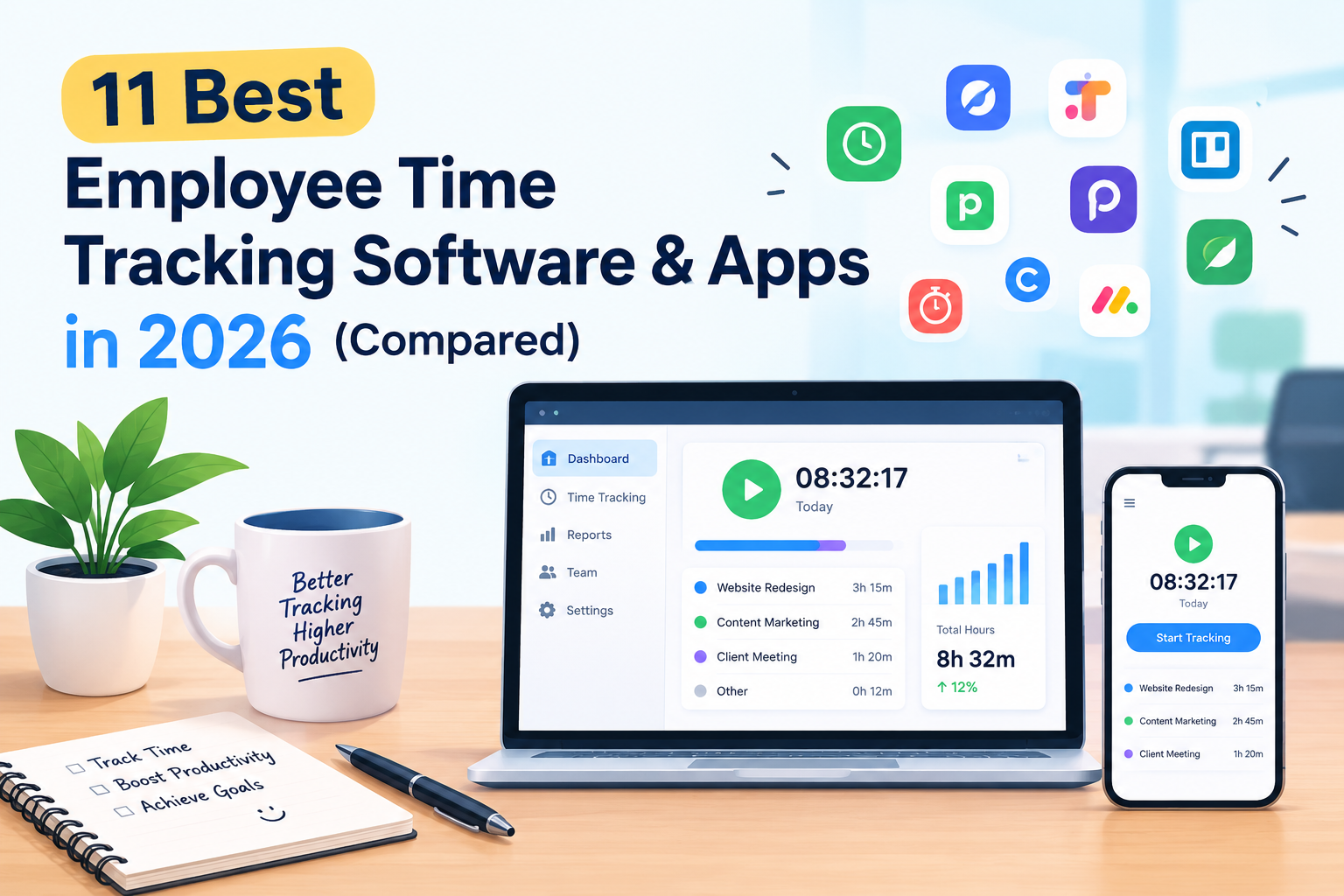
The best employee time tracking software in 2026 is TrackoField, best overall for field, sales, and distributed teams because it combines GPS-verified attendance, task tracking, and expense management in one app. For desk-based and remote teams, Hubstaff and Toggl Track lead on activity monitoring and ease of use, while Clockify is the strongest free option and ClockShark, Connecteam, Timeero, and Deputy are built specifically for hourly, field, and shift-based workforces.
Choosing the right tool depends on one question most buyers skip: where do your employees actually work – a desk, a job site, or both? This guide reviews 11 tools that answer that question differently, with real 2026 pricing, features, and the trade-offs each one makes.
What Is Employee Time Tracking Software?
Employee time tracking software records when employees start and stop work, where they clock in from, and how their hours are spent – through timers, timesheets, geofenced clock-ins, or GPS location logs. The category splits into two practical groups:
- Desk and remote time trackers (Toggl Track, Clockify, Time Doctor, Hubstaff) – built around timers, screenshots, and billable-hour reports for knowledge workers, agencies, and freelancers.
- Field and hourly workforce trackers (TrackoField, ClockShark, Timeero, Deputy, Connecteam) – built around GPS, geofencing, and shift compliance for teams that work outside an office: sales reps, technicians, delivery staff, and hourly crews.
Picking a tool from the wrong group is the single biggest reason time tracking rollouts fail – a GPS-heavy field tool frustrates desk workers, and a simple desktop timer is useless for a sales rep who is never at a computer
How We Evaluated These Tools
Each tool below was assessed on five factors that determine whether time tracking software actually gets adopted by a team, not just installed:
- Accuracy of time capture — GPS/geofencing precision for field tools, activity detection for desk tools
- Ease of clocking in/out — mobile app quality, offline support, one-tap actions
- Manager reporting — timesheets, payroll export, task/route visibility
- Pricing transparency — published per-user cost vs. “contact sales”
- Fit for use case — field force, remote knowledge work, or hourly/shift retail
11 Best Employee Time Tracking Software in 2026
1. TrackoField
TrackoField is built specifically for teams that don’t work from a desk – field sales reps, service technicians, delivery staff, and territory-based agents. Instead of a generic timer, it verifies attendance against actual GPS location, so a clock-in only counts if the employee is physically at the assigned site.
Key Features:
- Real-time GPS location tracking with distance-traveled playback
- Geo-verified, image-based attendance marking to prevent buddy punching
- Individual or group task allocation with completion tracking
- On-the-go expense claim submission and approval
- Order management for field sales teams
- Works on low-connectivity networks with automatic sync
Pricing: Free for up to 10 users; paid plans from approximately $3/user/month for larger teams; custom enterprise pricing available.
Best for: Businesses running field sales, service, or delivery operations that need proof of location, not just hours logged.
2. Hubstaff
Hubstaff tracks time through a desktop, mobile, or web timer and layers on activity monitoring – keyboard/mouse activity, optional screenshots, and app/URL usage. It also offers GPS tracking and geofenced “Locations” for field crews, but that capability sits behind a separate add-on rather than the base plan.
Key Features:
- Start/stop timers with automatic idle detection
- Optional screenshots and activity percentage scoring
- GPS tracking and geofenced job sites (Locations add-on)
- Automated timesheets, invoicing, and payroll integrations
- Works across Windows, Mac, Linux, iOS, and Android
Pricing: Free plan for 1 user; Starter from around $7/user/month; Team plan around $12/user/month; GPS/geofencing add-on costs extra; Enterprise around $25/user/month.
Best for: Remote-first companies and agencies that want time tracking plus a window into how computer time is spent.
3. Toggl Track
Toggl Track deliberately avoids screenshots, keystroke logging, and GPS tracking. It’s a one-click timer built for people who bill by the hour and need clean, exportable reports – not surveillance.
Key Features:
- One-click timer with automatic idle detection and reminders
- Project- and client-level time reports for billing
- 100+ integrations, including Jira, Notion, Asana, and Salesforce
- Team dashboards, billable rates, and labor-cost reporting on higher tiers
- No GPS or activity monitoring, by design
Pricing: Free for up to 5 users; Starter from around $9/user/month (annual billing); Premium and Enterprise tiers add reporting depth and SSO.
Best for: Freelancers, consultants, and agencies that track time to bill clients rather than to monitor staff.
4. Clockify
Clockify is the rare time tracker with a genuinely unlimited free plan – unlimited users, unlimited projects, no forced upgrade. Paid tiers add invoicing, GPS tracking, screenshots, and kiosk-style clock-ins.
Key Features:
- Unlimited free time tracking for unlimited users
- Timesheet, calendar, and Kiosk (shared device) tracking modes
- GPS tracking and screenshots available from the Pro tier
- Invoicing with taxes, discounts, and recurring billing on Standard+
- Reports exportable to PDF, Excel, and payroll formats
Pricing: Free forever for unlimited users; Basic from around $3.99/seat/month; Standard around $5.49/seat/month; Pro and Enterprise add GPS, screenshots, and scheduling.
Best for: Startups and growing teams that need a real free tier before committing budget to time tracking.
5. Time Doctor
Time Doctor goes further into productivity measurement than Toggl or Clockify, with website/app categorization, distraction alerts, and detailed activity summary reports. It’s popular with BPOs, call centers, and companies managing large distributed teams that need accountability data.
Key Features:
- Automatic and manual time tracking with activity-level breakdowns
- Website and application categorization (productive vs. unproductive)
- Payroll generation and detailed reporting
- Optional screenshots and video screen recording (add-on)
- Cross-platform apps for Windows, Mac, and Chrome
Pricing: No permanent free plan; 14-day free trial. Basic from about $6.67/user/month, Standard around $11.67/user/month, Premium around $16.70/user/month (annual billing). Several features, including payroll and SSO, are locked to higher tiers or paid add-ons.
Best for: Companies managing outsourced or distributed teams that need granular productivity accountability, not just hours logged.
6. QuickBooks Time
Formerly TSheets, QuickBooks Time is built to plug directly into QuickBooks payroll, making it a natural fit for businesses that already run their books through Intuit’s ecosystem.
Key Features:
- Mobile clock-in/out with GPS tracking on time entries
- Direct sync with QuickBooks Online and QuickBooks Payroll
- Scheduling, time-off requests, and overtime alerts
- Kiosk and time-clock hardware options for shared locations
- Job and project costing reports
Pricing: No free plan; Premium from around $8/user/month plus a roughly $20/month base fee.
Best for: Small and mid-size businesses already using QuickBooks for accounting and payroll who want time data to flow in automatically.
7. ClockShark
ClockShark is purpose-built for construction, field service, and trade businesses. Scheduling, job costing, and time tracking are designed around crews and job sites rather than knowledge-worker projects.
Key Features:
- One-tap mobile clock-in/out with job and cost-code selection
- GPS tracking and geofencing on active shifts
- Drag-and-drop crew scheduling
- Job costing reports tied to labor hours
- Native integrations with QuickBooks, Gusto, and ADP
Pricing: No free plan; plans generally start around $10/month base plus roughly $8–11/user/month depending on tier, with a separate base fee.
Best for: Construction firms and field service companies that need scheduling and job costing alongside time tracking.
8. Connecteam
Connecteam bundles time tracking with scheduling, internal communication, checklists, and task management into a single mobile-first platform, split across Operations, Communications, and HR & Skills “hubs.”
Key Features:
- GPS time clock with geofenced job sites
- Team chat, announcements, and surveys built in
- Shift scheduling with auto-scheduling and shift swaps
- Digital checklists and task management
- Employee training and onboarding modules
Pricing: Free for small teams (up to 10 users); paid plans are flat-rate rather than pure per-user, starting around $29/month for the first 30 users on the Operations Hub, with additional per-user costs beyond that.
Best for: Businesses that want time tracking plus internal communication and task management in one app rather than stitching several tools together.
9. Timeero
Timeero’s standout feature is automatic mileage tracking, which calculates distance traveled between job sites and feeds it directly into payroll or expense reports – a specific need for home-service and healthcare-visit businesses.
Key Features:
- GPS location tracking with route playback
- Automatic mileage calculation for reimbursement
- Geofence-triggered clock-in/out reminders
- Overtime, break, and out-of-bounds location alerts
- Timesheet and mileage report exports
Pricing: No free plan; Basic from around $4/user/month, Pro around $8/user/month, Premium around $11/user/month.
Best for: Home services, healthcare, and any business where mileage reimbursement accuracy directly affects payroll cost.
10. Deputy
Deputy leans toward employee scheduling first, time tracking second – a strong fit for retail, hospitality, and healthcare businesses juggling multi-location shift rosters alongside clock-ins.
Key Features:
- Auto-scheduling based on demand, availability, and labor budget
- GPS- and photo-verified clock-in/out
- Shift swapping and open-shift coverage requests
- Labor cost forecasting against sales or demand data
- Payroll integrations with Gusto, ADP, and Xero
Pricing: No permanent free plan (31-day trial); Scheduling or Time & Attendance from around $4.50–$5/user/month individually; Premium plan combining both from around $6/user/month.
Best for: Multi-location retail, hospitality, and healthcare employers that need shift scheduling and compliance as much as time capture.
11. Buddy Punch
Buddy Punch focuses narrowly on doing one thing well: replacing the paper time clock with a mobile and web punch clock that’s hard to cheat, using facial recognition, geofencing, and IP restrictions.
Key Features:
- Facial recognition and photo-on-punch verification
- GPS tracking and geofencing to block off-site punching
- QR code and kiosk clock-in options
- Overtime and break-rule enforcement
- Payroll export (payroll processing is a paid add-on)
Pricing: No free plan; Standard from around $4.49/user/month plus a roughly $19/month base fee.
Best for: Small businesses that mainly want an accurate, tamper-resistant time clock without a full workforce-management suite.
How to Choose the Right Employee Time Tracking Software
Work through these questions in order — each one eliminates tools that don’t fit:
- Where do your employees work? Field/on-site → prioritize GPS and geofencing (TrackoField, ClockShark, Timeero, Deputy). Desk/remote → prioritize timers and activity data (Toggl Track, Clockify, Hubstaff, Time Doctor).
- Why are you tracking hours? To bill clients → Toggl Track or Clockify. To run payroll → QuickBooks Time, Deputy, or Buddy Punch. To verify field visits and manage a distributed workforce → TrackoField.
- How much oversight do you actually need? Simple attendance → Buddy Punch or Clockify’s free tier. Deep productivity analytics → Time Doctor or Hubstaff.
- What’s your budget per user, per month, at your real headcount? Multiply the advertised per-user price by your team size and add any base fees — several tools on this list carry a flat monthly fee on top of per-user pricing.
- Does it need to integrate with your existing payroll or accounting system? If yes, shortlist tools with native QuickBooks, ADP, or Gusto integrations rather than relying on CSV exports.
Bottom Line
If your workforce is on the road, at client sites, or spread across multiple locations, TrackoField’s GPS-verified attendance and task tracking will give you more accurate data than a desk-oriented timer ever could. If your team works primarily from a computer, Toggl Track, Clockify, or Hubstaff will fit better and cost less. Match the tool to where the work actually happens, not the other way around.
FAQs
For field, sales, and distributed teams, TrackoField is the strongest overall pick because it verifies attendance by GPS location rather than relying on self-reported hours. For office-based or remote teams, Toggl Track and Hubstaff are the most widely used options.
Clockify (unlimited free users) and Buddy Punch (simple, fraud-resistant punch clock) are the most cost-effective starting points for small teams. TrackoField’s free plan for up to 10 users also works well for small field or sales teams.
In most countries and U.S. states, GPS tracking of employees during work hours is legal as long as employees are informed and, in many jurisdictions, provide consent. Rules vary by location, and tracking should generally be limited to work hours rather than personal time. Check local labor law before deploying GPS tracking
Most tools price per user per month, ranging from free (Clockify, Connecteam, TrackoField for small teams) to roughly $20–25/user/month for the most feature-heavy enterprise tiers (Time Doctor Premium, Hubstaff Enterprise). Several tools also charge a flat monthly base fee in addition to per-user pricing.