
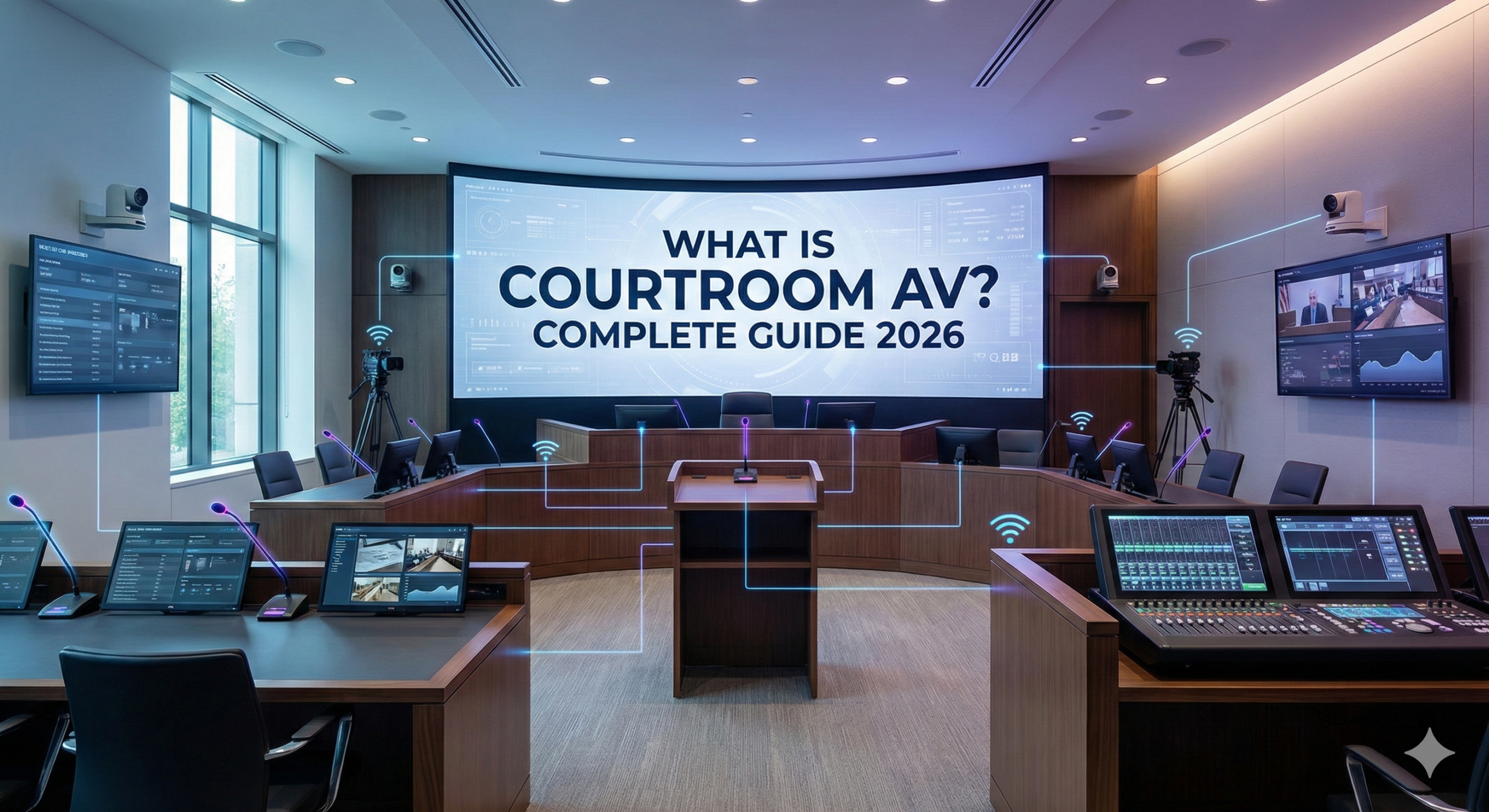
Court of law AV has evolved from a supportive technology into a foundational infrastructure within modern courts. In 2026, Courtroom AV systems are driving judicial transparency, operational efficiency, digital evidence management, and secure hybrid proceedings. From advanced courtroom audio systems and courtroom digital audio recording systems to fully integrated courtroom audio visual solutions, today’s judicial spaces depend on intelligent technology to ensure accurate documentation and seamless communication.
Whether upgrading legacy infrastructure or alternatively designing a new trial room audio visual solution, ultimately, understanding how Courtroom AV solutions work is essential not only for court administrators but also for government planners and AV integrators delivering secure justice AV solutions.
What Is Courtroom Audio Visual Solution and Why Is It Critical in Modern Judicial Systems?
Courtroom audio visual solution refers to the integrated network of audio, video, recording, display, and control technologies used to manage proceedings. A modern courtroom audio visual solution combines courtroom sound systems, video displays, recording servers, microphones, cameras, control processors, and network security into one unified platform.
Why Smart courtroom Is Essential in 2026
- Judicial Transparency
Courtroom AV systems allow digital recording and public display of proceedings, ensuring accuracy and accountability. - Efficiency in Case Handling
Digital evidence presentation eliminates delays caused by paper-based documentation. - Security and Compliance
Courts must protect sensitive legal data through encrypted courtroom audio systems and secure storage. - Hybrid Accessibility
Modern courtroom AV solutions support remote participation without compromising integrity.
Institutions such as the Supreme Court of India and the United States Courts continue investing in digital courtroom transformation, emphasizing secure and scalable courtroom AV infrastructure.
How Courtroom Audio Visual Systems Improve Trial Efficiency and Transparency
Courtroom AV systems significantly streamline legal proceedings. A properly calibrated courtroom audio system ensures every word spoken is clearly captured, while video display systems allow judges and juries to view digital evidence in real time.
Key Efficiency Benefits
- Faster evidence display through integrated courtroom equipment
- Instant access to recorded testimony via courtroom digital audio recording system
- Reduced dependency on manual transcription
- Remote witness participation
- Secure archiving and retrieval
These improvements make courtroom AV solutions indispensable for modern justice delivery.
Court chamber AV Explained: Components, Setup, and Real-World Applications
A comprehensive courtroom audio visual solution includes multiple interconnected subsystems.
Core Components of Courtroom AV
- Courtroom sound system (microphones, DSPs, amplifiers, speakers)
- Video display systems (judge monitors, jury displays, public screens)
- Courtroom digital audio recording system
- PTZ cameras for evidence and testimony capture
- AV control processors
- Networked switching and encryption systems
- Courtroom lighting optimized for camera clarity
Real-World Applications
- Criminal and civil trials
- Appellate hearings
- Government tribunals
- Arbitration panels
- Digital e-courts
For example, the Singapore Supreme Court implemented fully digital courtroom AV systems to enable paperless proceedings and electronic evidence workflows.
What Equipment Is Used in a Modern Courtroom Digital Audio Recording System Setup?
Designing a courtroom solution requires specialized courtroom equipment.
Audio Equipment
- Gooseneck microphones for judges and attorneys
- Boundary microphones for witness stands
- Wireless lapel microphones
- Digital Signal Processors (DSPs)
- Power amplifiers
- Zoned courtroom sound system speakers
Video Equipment
- LED/LCD evidence displays
- Judge bench monitors
- Jury viewing screens
- Document cameras
- PTZ cameras
- Video matrix switchers
Recording & Storage
- Multi-channel courtroom digital audio recording system
- Network video recorders
- Redundant backup servers
Control & Automation
- Touch panel control systems
- AV-over-IP infrastructure
- Centralized courtroom equipment rack
Courtroom Lighting
Strategically placed courtroom lighting reduces glare, enhances facial visibility, and improves camera capture for hybrid hearings.
Traditional Courtrooms vs Digital Courtrooms: The Role of AV Technology
| Feature | Traditional Courtroom | Digital Courtroom |
|---|---|---|
| Evidence | Physical documents | Digital evidence display |
| Recording | Stenography | Courtroom digital audio recording system |
| Audio | Basic PA | Advanced courtroom audio system |
| Remote Access | Not available | Hybrid participation |
| Archiving | Manual storage | Secure digital storage |
Courtroom AV systems transform traditional courtrooms into technology-driven judicial environments.
How Courtroom AV Supports Remote Hearings and Hybrid Trials
The acceleration of digital proceedings during the COVID-19 pandemic demonstrated the importance of scalable courtroom AV solutions.
Hybrid Courtroom Capabilities
- Remote witness testimony
- Virtual bail hearings
- Secure attorney-client communication
- Live streaming for public access
- Screen sharing for digital evidence
Justice AV solutions must ensure secure encryption and minimal latency during hybrid proceedings.
How to Design a Courtroom AV System: Step-by-Step Guide
Designing Courtroom AV requires structured methodology.
Step 1: Define Requirements
- Case volume
- Seating capacity
- Recording compliance needs
Step 2: Acoustic Planning
Optimize courtroom audio system clarity through:
- Acoustic panels
- Proper microphone placement
- DSP tuning
Step 3: AV Layout Development
- Position courtroom equipment strategically
- Ensure unobstructed display viewing angles
- Coordinate courtroom lighting with camera zones
Step 4: Infrastructure Planning
- Structured cabling
- AV racks
- Power conditioning
Step 5: Security Architecture
Implement encrypted courtroom AV systems and restricted server access.
Step 6: Testing & Commissioning
- Audio intelligibility testing
- Recording verification
- Backup redundancy testing
Key Components and Checklist for AV Integrators
When delivering courtroom AV solutions, AV integrators should follow a structured checklist.
Audio Checklist
- Multi-channel courtroom digital audio recording system
- Feedback suppression setup
- Redundant microphones
Video Checklist
- Evidence routing
- Display calibration
- PTZ camera coverage
Security Checklist
- Encrypted storage
- Firewall configuration
- Role-based access
Infrastructure Checklist
- Properly ventilated courtroom equipment rack
- Cable labeling
- Surge protection
A Secure Courtroom AV System Design
Security is fundamental in any courtroom solution.
Security Best Practices
- End-to-end encryption
- Network segmentation
- Secure remote access protocols
- Audit logging
- Backup redundancy
Courtroom AV systems must comply with national cybersecurity policies to ensure legal integrity.
Smart courtroom vs Conference Room AV: What’s the Difference?
While both environments use AV technology, courtroom AV is governed by stricter standards.
| Aspect | Courtroom AV | Conference Room AV |
|---|---|---|
| Compliance | Judicial regulations | Corporate policies |
| Recording | Mandatory | Optional |
| Security | High-level encryption | Standard security |
| Audio Design | Multi-zone courtroom audio system | Basic meeting audio |
| Public Access | Required in some cases | Private |
Courtroom AV solutions require forensic-grade reliability that conference systems typically do not.
Top Court of law System Design & Integration Tools for 2026
1. D-Tools System Integrator (SI) – AV Project Design & Documentation
One of the most widely recommended AV integrator platforms, D-Tools SI combines system design with proposal generation, parts lists (BOM), and project data all in one place. It helps you:
- Create detailed system layouts with drag-and-drop equipment.
- Access an extensive manufacturer-verified AV product database for accurate specifications and pricing.
- Generate professional proposals, schematics, BOMs, and reports from the same model.
Ideal for: Full courtroom AV system documentation, project proposals, and integration planning.
2. AutoCAD – Precision Drafting & AV Infrastructure Layout
While not AV-specific, AutoCAD remains an essential engineering tool for detailed courtroom AV infrastructure drawings:
- Detailed floor plans, cable routing, and equipment placement.
- Ability to create custom AV symbols for courtroom devices.
- Works well when paired with AV-centric tools for complete documentation.
Ideal for: High-precision technical drawings integrated into courtroom construction documents.
3. QSC Q-SYS Designer – System Configuration & Control Logic
For courtrooms using QSC ecosystem hardware (processors, DSPs, control), Q-SYS Designer provides:
- Drag-and-drop signal flow and DSP programming.
- Extensive AV component libraries.
- Real-time system simulation to validate behaviors before installation.
Ideal for: Integrators designing networked audio processing, speaker routing, mic logic and control systems.
4. Extron Entwine® AV – AV Control & Interface Design
Extron Entwine AV is focused on visualizing and designing control interfaces and room logic:
- Builds custom control panels and workflows for courtroom touchpanel control.
- Ties user interfaces to system triggers (e.g., evidence display, camera switching).
Ideal for: Courtrooms where intuitive control and touchpanel UIs simplify operation for non-technical users.
5. AVSnap – Simple Audio/Visual Layout Diagrams
AVSnap is a lightweight CAD-style tool focused on AV system schematics:
- Drag-and-connect devices visually, with cabling and signal routing.
- Generates material lists and simple system diagrams.
Ideal for: Quick schematic drafts or smaller courtroom AV layouts.
Justice AV Maintenance & AMC Guide for Government Facilities
Long-term performance of courtroom AV systems depends on preventive maintenance.
AMC Should Include:
- Courtroom sound system calibration
- Microphone testing
- Firmware updates
- Recording integrity audits
- Courtroom lighting inspection
- Server backup verification
Quarterly maintenance ensures uninterrupted justice delivery.
Judicial chamber AV Upgrade vs Full Replacement: Which Is Right for Your Court?
Upgrade Recommended If:
- Infrastructure supports IP-based expansion
- Recording hardware is compatible with modern firmware
- Displays remain functional
Full Replacement Recommended If:
- Analog courtroom audio system
- No encrypted recording
- Obsolete courtroom equipment
- No hybrid hearing capability
Modern courtroom are scalable and cloud-compatible, ensuring long-term sustainability.
Smart Judicial proceedings room AV Layout & Wiring Guide
Efficient layout and wiring determine system longevity.
Best Practices
- Use structured Cat6 or fiber cabling
- Separate audio and power lines
- Label all courtroom equipment
- Provide proper rack ventilation
- Implement redundant recording paths
Zoning Strategy
- Judge bench
- Witness stand
- Jury box
- Attorney tables
- Public gallery
Each zone must have dedicated courtroom audio system coverage and optimized courtroom lighting for clarity.
Conclusion
Legal proceedings space AV has become a cornerstone of modern judicial infrastructure in 2026. From courtroom digital audio recording systems to integrated courtroom audio visual solutions supporting hybrid hearings, technology now shapes how justice is delivered. Secure Justice AV systems enhance transparency, efficiency, and accessibility while protecting sensitive legal information.
For government bodies, planners, and AV integrators, investing in scalable courtroom audio system solutions ensures future-ready judicial operations. With proper design, secure infrastructure, and proactive maintenance, justice AV solutions can support courts for decades while maintaining reliability, compliance, and operational excellence.
Read more content: Brainytechtips